Your AI employee · Business in a box
Your AI employee. Your business in a box.
We’re building an AI employee that knows your business, plans the work and carries it out — with you in control.
You have a business to run. Give the work an employee.
The inbox, follow-ups, customer requests and unfinished tasks all come back to you. Crucible is designed to take on that operating work: learn your business, make a plan and carry approved jobs through to results you can review.

WELCOME
Welcome to Crucible AI.
your AI employee, ready for work
An AI employee designed to know your business, plan the work and carry out approved tasks. This film illustrates the direction. Step inside.

KNOWS YOUR BUSINESS
An employee with business context.
your goals, knowledge and working rules
Your offer, priorities and business records give the employee a place to start. Correct its knowledge and define the tools and access each job needs.

IT DOES THE WORK
Designed to carry the work through.
plans, acts, checks, reports
A job needs steps, tools and a definition of done. Crucible is designed to follow the plan, save the result and flag the decisions that need you.
BY DESIGN
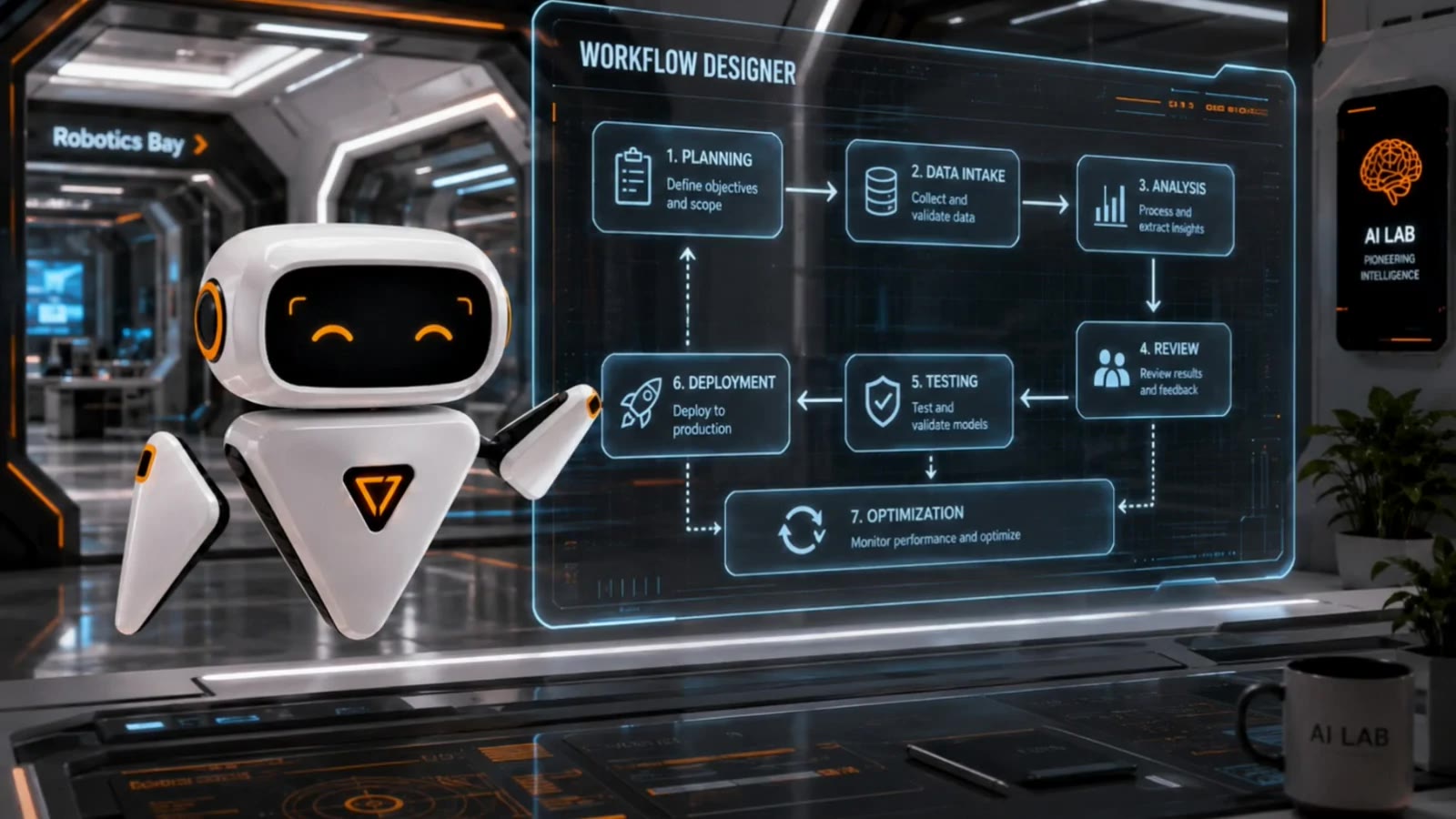
A repeatable way to run the work.
context · plan · approve · act · review
Turn a tested job into a playbook for the business. Clear steps and review points make the workflow repeatable as the employee takes on more responsibility.

THE RESULT
See the result. Decide what’s next.
work, results and decisions together
The intended result is an operating workspace: completed tasks, saved evidence, current business records and a clear view of what needs your attention.
Book a scoping callWorkflow possibilities
One employee. Across your business.
From daily priorities to customer follow-ups, explore the work an AI employee could take on. We confirm the supported workflows and integrations during scoping.
Daily plan & priorities
Turn incoming work and your goals into a daily plan, with tasks, owners and decisions to review.
Computer vision — inspection
Explore visual checks against your specifications, with exceptions flagged for a person to review.
Document review & risk
Read a long contract or report → surface the clauses, risks, gaps and deadlines that matter.
Knowledge lookup
Ask your own files. The right clause, record, spec or precedent in seconds — answered with its source.
Summarisation
Long or many documents → the gist that actually matters, without reading every page.
Voice & dictation
Speak instead of type: site notes, case updates and records dictated and filed as structured data — often the single biggest time-saver.
Research & discovery
Supplier, material, market, case and precedent research — gathered and summarised privately, with its sources.
Document generation
Draft the outbound document from a template and your own data — ready for a human to sign off.
Media generation
Prepare branded content and production briefs for review before publication.
Slides & report decks
Board, client and review decks, built straight from your own data — formatted and ready to present.
Custom software & sites
Scope internal tools and small sites around your business process, with a reviewed build and release plan.
Data analysis & insight
Analyse your own data → the trends, anomalies and quiet leaks no one had time to look for.
Data cleanup & reconciliation
Dedupe, normalise, validate and match records across systems that were never meant to talk.
Quoting & estimating
An enquiry or spec becomes a priced, on-brand quote in minutes — pulling your rate card, past jobs and margins, ready to send.
Forecasting & credit control
Predict the cash position, flag who to chase first and forecast demand — from your own ledgers and order book, not a generic model.
Delivery tracking
Track project commitments, outstanding tasks and handoffs; flag exceptions for the owner.
Marketing calendar
Plan topics, prepare drafts and organise the publication schedule around your business goals.
Sales research & follow-ups
Research opportunities, organise the pipeline and prepare follow-ups for your approval.
Security scans & maintenance
Organise maintenance requests, access reviews and routine system checks within the permissions you approve.
Inbox & support triage
Sort, route and draft replies across a shared inbox or ticket queue — the backlog stops growing.
Complaint & feedback analysis
Triage complaints, reviews and survey responses into themes — what's breaking, and how often.
Recruitment & CV screening
Organise applications against role requirements and prepare interview notes. People make the hiring decisions.
Onboarding & HR admin
Track onboarding documents, induction tasks and training records for the responsible person to review.
HR helpdesk
Prepare answers about policy, leave and benefits using your approved handbook and scoped records.
External chatbot — front of house
Scope customer enquiry handling, qualification and booking workflows using your approved content.
These are workflow examples, not a list of released features. Start with one complete job, prove the result and expand the employee’s responsibilities from there.

COMPUTER VISION
A visual workflow example.
inspection with review points
This concept film illustrates a specialist workflow: compare a part to a specification, surface a possible defect and send the exception for review. Any deployment needs its own validation.

THE OUTCOME
Catch the defect before it ships.
evidence for a quality decision
The goal is to identify an issue while there is still time to act. A quality owner reviews the evidence and decides the next step; this illustration does not establish inspection performance.
Book a scoping callOne workflow example
Watch it read a document — and file it.
Document handling is one job within the wider employee. This illustration shows an invoice becoming a structured record for review.

How Crucible reads and files a document
Extracted · validated
Illustrative invoice workflow. Sample data; no live integration shown.
Built to work with you
Knows the business. Moves the work forward.
It knows your business.
Your offer, customers, priorities and working rules become a shared business record. The employee works from that context, and you can correct it as the business changes.
It turns a goal into work.
A useful employee needs more than a prompt. Crucible is designed to plan the steps, use the right tools and carry an approved job through to a saved result.
You can see what happened.
Plans, results and exceptions belong in the business workspace. You should know what was done, what needs review and where your decision is required.
How it works
From business goal to completed work.
A clear operating loop: context, plan, approval, action and a result you can check.

- 01
Teach it your business
Start with your offer, customers, goals, records and working rules.
- 02
Choose the work
Give it a job or a business priority, with a clear definition of done.
- 03
Review the plan
See the steps, tools and access the job needs before it begins.
- 04
Approve the decisions
Keep control of external messages, spending and other important commitments.
- 05
Carry out the task
The employee works through the supported workflow and saves its result.
- 06
Keep the business current
Review the evidence, update the records and decide what comes next.

You set the decision rights
Set the direction. Stay in control.
Define what the employee can access and which actions need your approval. Review its plan, see the saved result and correct the business knowledge it works from. More useful autonomy starts with work you can check.
Business in a box
The employee. The workspace. The way work gets done.
An operating foundation for your business — designed around your goals and workflows, rather than a hardware box.

An AI employee
One operator working across business roles, with clear goals and responsibilities.
A business workspace
Knowledge, tasks, customers and results kept together as work continues.
Workflow playbooks
Repeatable steps for the jobs your business needs, tested before wider use.
Owner controls
A place to review progress, correct context and approve important actions.
Who it’s for
For the owner wearing every hat.
Start with the work that keeps pulling you away from the business you want to build. These are starting points to explore together.
Solo founders
Organise the priorities, enquiries and unfinished tasks that keep coming back to you.
Service businesses
Keep customer requests, project commitments and delivery handoffs in view.
Agencies & studios
Connect planning, content preparation, client follow-ups and project records.
Consultants
Turn research, meeting notes and next steps into organised client work.
Small teams
Make responsibilities, business knowledge and review decisions clear as the team grows.
Growing businesses
Start with one workflow and expand the employee’s role as each job earns its place.
The company
Hold us to our word.
We’re building a general AI employee for business owners. The vision spans daily operations; the first engagement starts with a specific workflow. We agree its scope, supported tools and review process before promising what it will deliver.
A clear starting job
We scope the first workflow and its completion conditions before making a delivery commitment.
Evidence before promises
Supported tools and workflows must earn their place through a working demonstration.
Your decisions stay yours
Define the employee’s access, review its work and approve actions that require your authority.
The questions sceptics ask first.
What is an AI employee?
- An agent designed to take responsibility for business tasks: learn the context, plan the steps, use connected tools and save a result. Crucible combines that employee with a business workspace and repeatable workflows.
What does business in a box mean?
- The employee, business knowledge, task workspace, playbooks and owner interface together. It is an operating foundation for your business, with each workflow scoped and tested.
Can it run everything without me?
- You set the direction and decision rights. The employee works within supported workflows and scoped access. Important commitments, external actions and exceptions still need the approval you define.
Do I need local AI hardware?
- Local hardware does not define Crucible. Our product direction is cloud delivery. If your business needs a private or local setup, we can discuss the requirements and scope what is supported.
Which tools can it use?
- We confirm the integrations for your first workflow during scoping. The workflow examples on this page describe the direction; they are not a promise that every integration is available today.
Is it available, and what does it cost?
- We’re developing Crucible and discussing first workflows with business owners. Contact us to explore a fit. Scope, availability and pricing must be confirmed before any commitment.
Your business. Your AI employee.
Tell us about your business and the work you want Crucible to take on. We’ll explore the first workflow, the tools it needs and the decisions you want to keep.
An AI employee designed to run your business with you · Based in London